

Written by
Kody Kendall
AI & Software Engineer | Creator of the Leonardo Coding Agent
Automated marketing reports are client reports that build themselves from live campaign data. You connect the data sources once. You pick the metrics and the schedule. The report then arrives every month without copy and paste. Agencies get there in one of three ways. They subscribe to reporting SaaS. They wire connectors into spreadsheets. Or they run a custom reporting app that they own. Each path fits a different agency size, and the wrong pick costs real margin.
I am a software engineer, and I build AI coding agents for a living. Agencies come to us with the same complaint. The monthly client report eats a day per client. This guide compares the three ways out. I will be honest about where a subscription is the right answer. I will also show where a custom app beats every subscription on cost and control.
The Monthly Report Eats a Day Per Client
Walk through what one report actually takes. Someone signs in to Google Ads, GA4, Meta Ads Manager, and an SEO tool. They export the numbers into a slide deck or a spreadsheet. They fix the charts that broke since last month. They write commentary for the client. Then they send the PDF and answer the follow-up questions.
Call that one day of work. An agency with ten clients then spends ten working days on reports each month. That work lands in the last week of the month, when clients also want calls. Manual assembly carries a second cost. A wrong number in a client report damages trust more than a late report does. Copy and paste produces wrong numbers.
What Marketing Intelligence Tools Actually Do
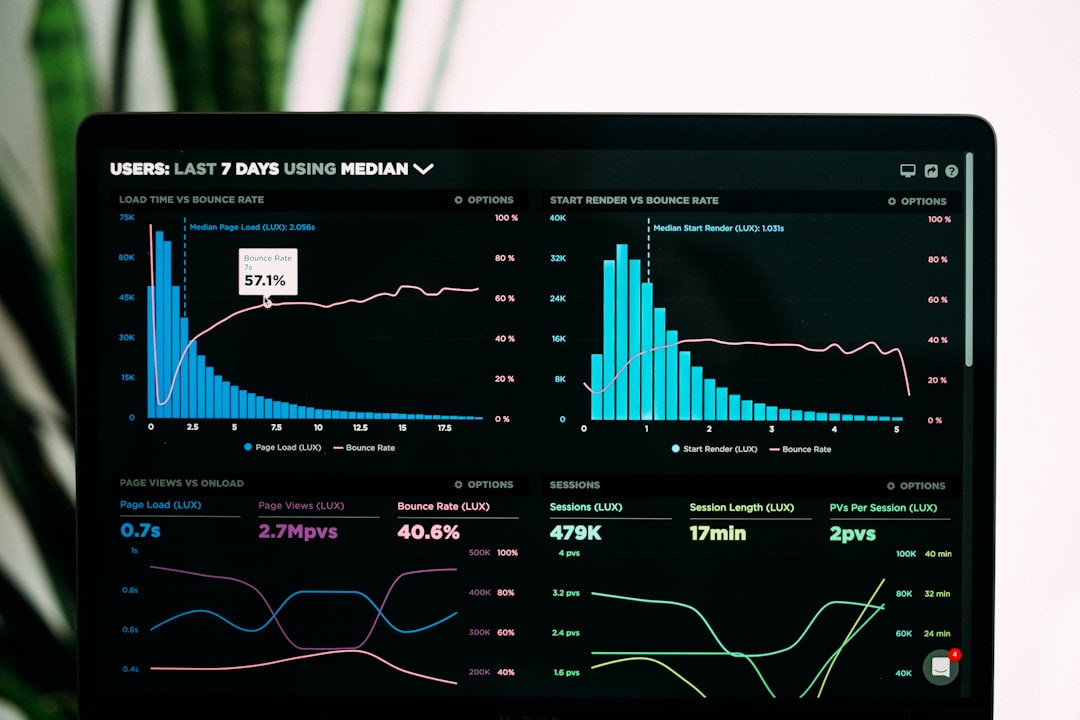
Marketing intelligence tools collect campaign data from many sources and turn that data into dashboards and reports. Strip the label away and you find four jobs. First, connectors pull data from each platform through an API. An API is a machine-to-machine data feed. Second, the tool stores the numbers in one place and lines up the fields. Spend from Google Ads and spend from Meta land in one column. Third, the tool renders dashboards and scheduled reports. Fourth, some tools add alerts, budget pacing, and anomaly flags.
Advertising reporting tools are the paid-media slice of the category. They focus on spend, clicks, conversions, and return on ad spend across ad platforms. Search engine marketing reporting software narrows further. It covers paid search on Google Ads and Microsoft Advertising, down to search terms and budget pacing. Every product in the category does some mix of the same four jobs. Judge each product on the four jobs, and ignore the label on the box.
Option One: Reporting SaaS
Reporting SaaS is the fast path. Tools in this class include AgencyAnalytics, Whatagraph, and Swydo as of this writing. You connect your accounts, pick a template, and schedule the send. A usable client report can exist by the end of the day. Most tools offer white label options on their higher tiers, so the report carries your logo. For a small roster with standard metrics, this class is the right answer. I mean that without reservation.
Three ceilings arrive with growth. First, pricing usually scales per client or per data source as of this writing. Twenty clients means twenty units of monthly fee, for as long as you operate. Second, templates set the ceiling on layout and metrics. A custom metric that blends three sources often needs a workaround, or cannot exist at all. Third, your reporting history lives in the vendor's system. Cancel the plan and the dashboards disappear.
Some marketing agency software suites bundle reporting with project management, billing, and client chat. The bundle can serve a small shop well. The reporting module is rarely the strongest part of the bundle. Roundups of digital marketing agency tools rank reporting near the top for a reason. Reporting touches every client, every month, in the client's own inbox.
Option Two: Spreadsheets Plus Connectors
The second path wires connectors into spreadsheets or Looker Studio. Looker Studio is Google's free dashboard tool as of this writing. Connector services such as Supermetrics pull platform data into Google Sheets or straight into a dashboard on a schedule. This path is cheap and flexible. You control every formula and every chart.
The costs are fragility and dependence on one person. Whoever builds the sheet becomes the only person who can fix the sheet. A renamed campaign or a changed platform field breaks a chart, and the chart breaks silently. Client dashboards multiply as tabs and copies. Version chaos follows. We see this pattern far beyond marketing. A spreadsheet quietly becomes the operating system of a business, then the business outgrows the grid. Our Excel to app service exists for exactly that moment.
Option Three: A Custom Reporting App Your Agency Owns
The third path is a custom reporting app. The app pulls your sources on a schedule and stores the numbers in a database you own. It renders one live dashboard per client, on your domain, under your logo. A scheduled job sends each client a PDF or a link every month. Custom metrics get equal treatment. If your agency sells qualified calls booked, the dashboard can lead with qualified calls booked.
An agency reporting dashboard of this kind used to need a five-figure engineering project. AI coding agents changed those economics. Our agent, Leonardo, builds database-backed software from a plain description of the report you send today. Human engineers stand behind the agent. The result is real code your agency can keep, with no per-client fee attached.
One agency owner we build for priced a friend's setup: two reporting subscriptions that together run about $800 a month, as of this writing. Then he compared that bill to the app he already owns.
"Already this. I mean, why would we set up our own?"
One boundary matters here. LlamaPress builds the reporting tool. Your agency runs the campaigns, owns the ad accounts, and keeps the client relationship. We never touch campaign settings and we never talk to your clients. The dashboard shows the campaign data. The campaign work stays yours.
A reporting dashboard also pairs well with a client portal. Status, files, approvals, and the monthly numbers can sit behind one login. We cover that pattern in our guide to white label client portals.
What to Automate First
Automate in this order. Start with data collection, because collection is the repetitive, error-prone hour. Next, automate the recurring dashboard, so every client question has a live answer. Then automate delivery, meaning the scheduled PDF or link. Keep the commentary human for as long as you can. Clients pay for judgment. Two sharp paragraphs on what changed, and what you will do next, carry the whole report. A report that is all charts and no judgment reads like a bill.
When Custom Beats a Subscription
Choose a subscription when you have a few clients and standard metrics. The template ceiling will not bother you for years. Choose spreadsheets when budgets are tight and one technical person wants to own them. Choose a custom reporting app in three situations. First, many clients. Per-client SaaS fees compound, while a custom app costs the same at 10 clients or 60. Second, custom metrics. Your reporting is part of your pitch, and templates flatten your pitch. Third, white label as the default. Your name sits on your domain without a premium tier.
There is a fourth, quieter reason. A custom app becomes an asset your agency owns. The tool keeps working when you change vendors or add channels. Creative shops use AI the same way, to own more of their stack without hiring engineers. We wrote about that in AI for design agencies. If you want real numbers for your roster, our services team will scope the build with you before you commit to anything.
Own your reporting instead of renting it
Describe the report you assemble by hand today. Leonardo builds a reporting app that pulls your sources, renders one dashboard per client, and sends the monthly report itself. You own your application code. Your clients stay yours. What you own.
Prefer to start with a message? Contact us and tell us what you run today.
Frequently Asked Questions
What are automated marketing reports?
Automated marketing reports are client reports that build themselves from live campaign data. Software pulls numbers from platforms like Google Ads, GA4, and Meta through their APIs. The software then renders dashboards and sends reports on a schedule. The three common setups are reporting SaaS, spreadsheets with connectors, and a custom reporting app the agency owns.
What are the best marketing reporting tools?
The best marketing reporting tools depend on roster size and metrics. Reporting SaaS such as AgencyAnalytics, Whatagraph, or Swydo suits a small roster with standard metrics as of this writing. Looker Studio with connectors suits tight budgets and a technical owner. A custom reporting app suits agencies with many clients, custom metrics, or a white label requirement. Judge any tool on its connectors, its pricing model, and your export rights.
What is search engine marketing reporting software?
Search engine marketing reporting software reports on paid search campaigns. It covers Google Ads and Microsoft Advertising. Typical views include spend, clicks, conversions, cost per conversion, search terms, and budget pacing. General advertising reporting tools cover the same ground across more channels, such as Meta, LinkedIn, and TikTok.
How much does automated client reporting cost?
Reporting SaaS usually prices per client or per data source each month as of this writing. The cost grows with your roster. Looker Studio is free as of this writing, and connector services charge a monthly fee. A custom reporting app costs a flat build plus hosting. The custom path usually wins once per-client fees pass the cost of owning the tool.
Does LlamaPress run marketing campaigns?
No. LlamaPress builds custom software and AI tools. For agencies, we build the reporting app or the client dashboard. Your agency runs the campaigns, owns the ad accounts, and keeps the client relationship. The tool carries your brand, and your clients stay yours.