
Convert Your Excel
Spreadsheet Into a
Web Application with AI
Updated July 2026
Upload your spreadsheet, describe the app you want, and AI builds it in about 60 seconds. Free, no coding.
Upload My SpreadsheetUpload Your Spreadsheet
Convert any Excel or CSV file into a working web app — instantly.
Turn any Excel file, workbook, or CSV into a fully functional web app in seconds.
The Easiest Way to Convert Excel to a Web Application
Upload your spreadsheet — our AI builds a custom application for you. No coding required.
Still wondering how to make a web app from Excel? You're not alone. Thousands of businesses rely on Excel spreadsheets for everything from inventory tracking to customer management. But spreadsheets have limits — they're hard to share, break easily, and don't scale. That's why more teams are looking to convert their Excel spreadsheet to a web application.
LlamaPress makes it simple to turn Excel into a web app. Just upload your file, describe what you want, and our AI does the rest. Whether you want to convert Excel to a web form, build a dashboard, or create a full web based application from Excel, the process takes seconds — not weeks.
From Spreadsheet to Real Software
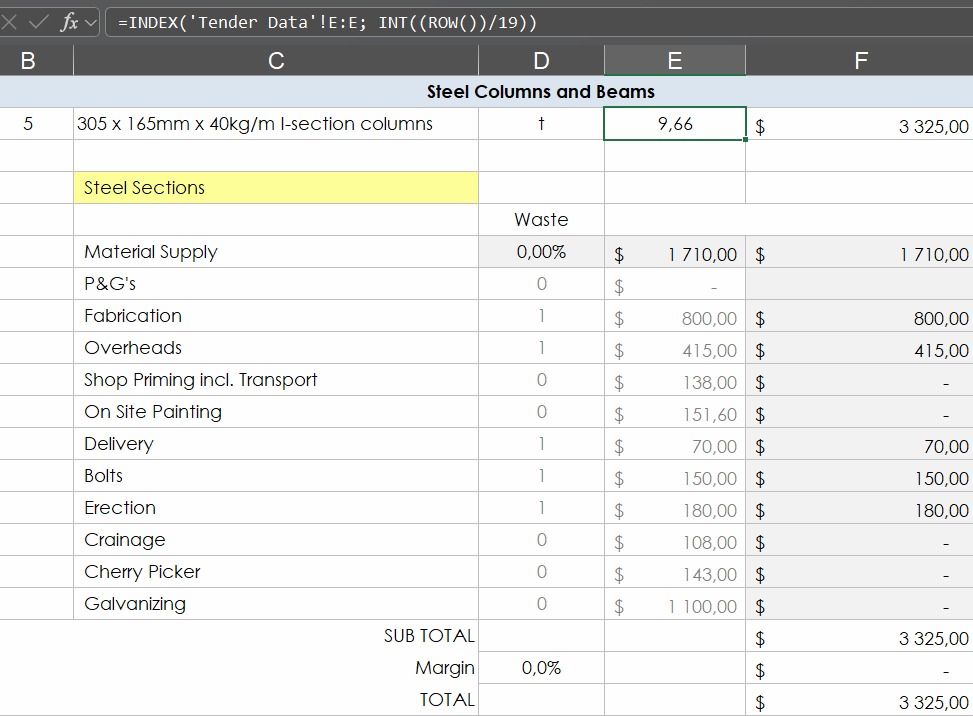
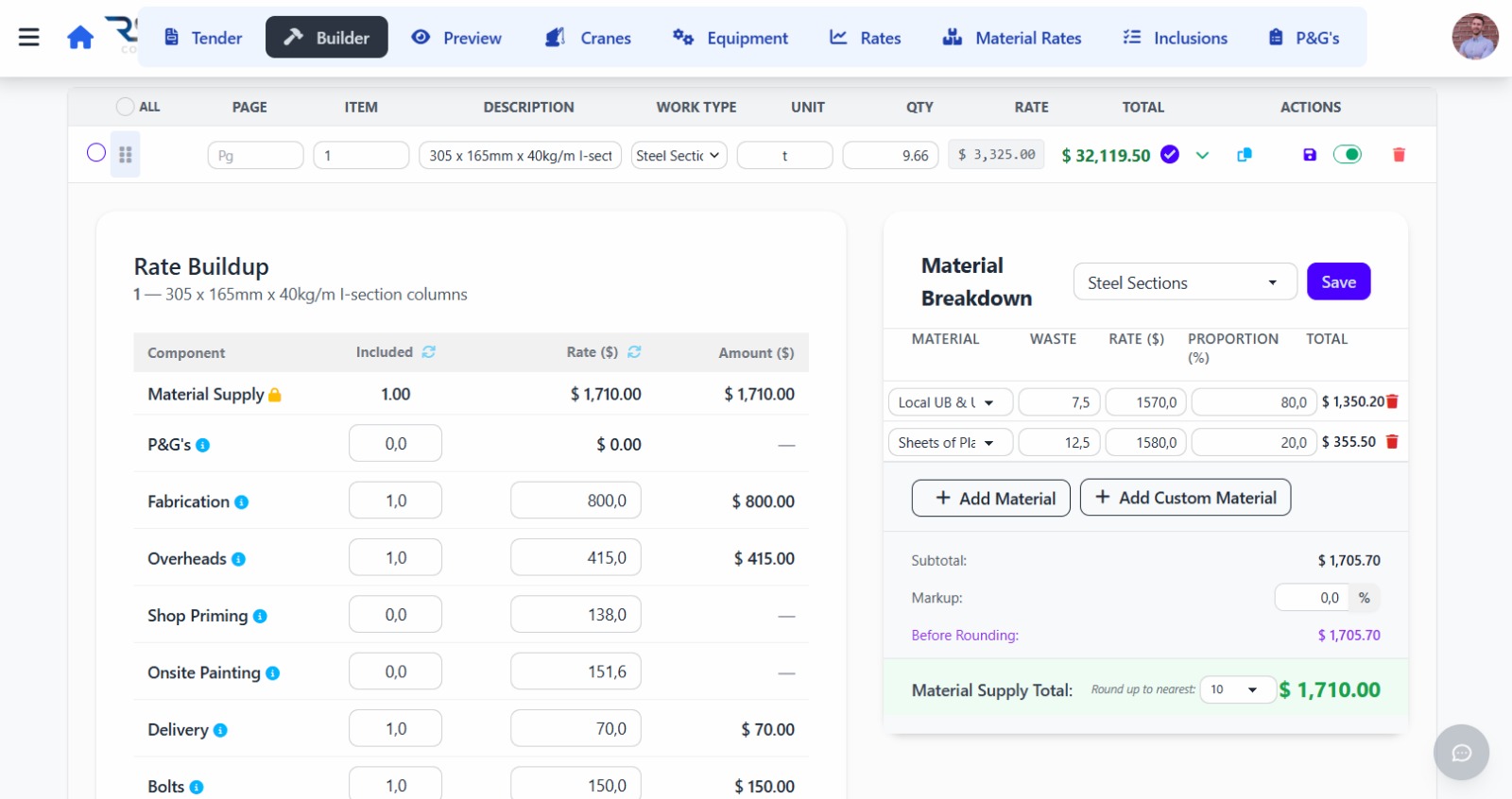
Watch a fragile Excel file become a polished, shareable web application — in less time than your morning coffee.
What Can You Build From a Spreadsheet?
People use LlamaPress to turn spreadsheets into web apps for all kinds of use cases. Here are some of the most popular:
CRM & Contact Management
Convert your Excel sheet to a web application that lets your whole team manage contacts, track deals, and log interactions.
Inventory Tracking
Turn an Excel sheet into an app that tracks stock levels, reorder points, and product details across locations.
Web Forms & Data Collection
Convert your Excel spreadsheet to a web form so customers or employees can submit data directly into your system.
Dashboards & Reporting
Create a web app from your Excel spreadsheet that visualizes data with charts, filters, and real-time updates.
Project Management
Convert your spreadsheet to a web application with task assignments, status tracking, and team collaboration built in.
Calculators & Estimators
Moving formulas from Excel to a web app is easy. Convert your macro-enabled Excel spreadsheet into an interactive calculator your customers can use.
Convert Excel to a Web App in 3 Steps
It's never been easier to turn your Excel spreadsheet into an app
Upload Your Excel File
Select the Excel spreadsheet, XLS file, or CSV that you want to convert. We support .xlsx, .xls, .xlsm, and .csv formats.
AI Analyzes Your Data
Our AI reads your spreadsheet, understands your data structure, and designs the ideal web application layout.
Get Your Web Application
Receive a fully functional web based application built from your Excel data. Share it with your team or customers instantly.
Why Convert Your Spreadsheet to a Web Application?
Spreadsheets are great for analysis, but they aren't built for collaboration, sharing, or scaling. Here's why teams convert Excel to web applications:
Real-Time Collaboration
When you convert an Excel spreadsheet to a web based application, multiple users can access and edit data simultaneously without version conflicts.
Access From Any Device
Turn your Excel spreadsheet into an app that works on phones, tablets, and desktops. No software installation needed.
Better Security & Access Control
Excel files get emailed around and lose control. A web application gives you user roles, permissions, and audit trails.
Automation & Workflows
Moving formulas from Excel to a web app lets you automate calculations, notifications, and data processing that spreadsheets can't handle.
Scale Without Limits
Excel slows down with large datasets. When you convert Excel to a web application, your data lives in a real database that can handle millions of records.
Professional Look & Feel
Convert your Excel file to a web application with a polished UI your clients will love — no more sharing raw spreadsheets.
An Excel to App Converter for Every Format
We support all major spreadsheet formats so you can convert with confidence
.XLSX Files
Convert modern Excel workbooks to web applications, including multi-sheet workbooks.
.XLSM Files
Convert macro-enabled Excel workbooks — we extract the data while translating your workflow logic.
.XLS Files
Convert XLS to a web application — even legacy Excel formats are fully supported.
.CSV Files
Convert CSV spreadsheets to web apps with the same ease as Excel files.
Have a macro-enabled Excel spreadsheet? No problem. Our AI can interpret your formulas and logic when building your web app.
Convert an Excel Spreadsheet to a Web Form
If your spreadsheet exists to collect information, you don't need the grid at all. You need the form that fills it. Upload your sheet and our AI turns each column into a form field, so customers, crews, or clients submit data through a clean web page instead of typing into shared cells.
Every submission lands as a record in a real database, with validations your team can't skip and a link you can send to anyone. No more emailing the workbook around.
Turn My Spreadsheet Into a FormOrder and intake forms
Customers submit orders or requests straight into your system instead of a shared sheet.
Registration and sign-up sheets
Event lists, class rosters, and volunteer sheets become forms with confirmation built in.
Client onboarding checklists
Guided data collection that replaces the checklist spreadsheet your team chases people to fill.
Collecting onboarding info from clients? See our guided client onboarding software.
Job costing and margin reports
The workbook you rebuild every Friday becomes a dashboard that is already current when you open it.
KPI and status dashboards
Open orders, crew schedules, pipeline stages. One screen, always live, no copy-paste from six tabs.
Reports you send to clients
Share a link instead of an attachment. Clients see the current numbers, never version twelve of the file.
Turn Excel Reports Into a Live Web App
Most report workbooks are rebuilt by hand every week: export, paste, fix the formulas, email the file. When you turn an Excel report into a web app, the calculation logic runs on live data instead. The report is simply a page that is always up to date.
Our AI reads the structure of your report sheet, keeps the calculations, and builds charts and summary views on top of a real database.
Convert My ReportTurn Your Excel Database Into a Web App
Plenty of businesses run on a workbook that quietly became the company database: the customer list, the inventory sheet, the job log. It works until two people edit at once, a sort scrambles the rows, or somebody deletes a column nobody can rebuild.
Converting that spreadsheet to a web app gives each sheet a real database table: search and filters, user accounts and permissions, validation on every field, and a history of who changed what.
Convert My Excel DatabaseDeciding between the two approaches? Read Excel vs. databases: the main difference or converting Excel to a database.
Everyone works at once
No more "who has the file open?" Concurrent editing with no locked rows and no conflicting copies.
Search instead of scroll
Find any record in a 10,000-row dataset in seconds, with filters your team does not have to build.
A record of every change
Each edit is tracked. A bad sort or a deleted column stops being a company-wide emergency.
Excel to App Converter Options, Compared
There are four common ways to turn an Excel spreadsheet into an app. Here is an honest look at when each one makes sense.
| LlamaPress (AI converter) | Microsoft Power Apps | No-code builders (Glide, AppSheet) | Hiring a developer | |
|---|---|---|---|---|
| Time to a working app | Minutes. Upload the file and describe the app in plain English. | Days to weeks, plus time learning the platform. | Hours for simple list-style apps. | Weeks to months. |
| Keeps your formulas & logic | Yes. The AI reads your formulas and rebuilds the logic in the app. | Partially. You rebuild logic in Power Fx by hand. | Limited. Complex formulas usually have to be simplified. | Yes, if you specify every rule for them. |
| Custom interface | Yes. A purpose-built app, not a template. | Template-driven; custom takes real effort. | Template-driven by design. | Fully custom. |
| Real multi-user database | Yes, with accounts, permissions, and change history. | Yes, via Dataverse or SharePoint. | Often still the spreadsheet underneath. | Yes. |
| Cost to start | Free to try, no credit card. | Per-user licensing on top of Microsoft 365. | Free tiers; per-user pricing as you grow. | Typically $10,000 and up. |
Fair is fair: if your team lives in Microsoft 365 and has time to learn Power Fx, Power Apps is capable. If you need a simple mobile list, Glide or AppSheet may be enough. If your spreadsheet holds real business logic and you want a custom app without a project budget, that is the gap this converter was built for. For the full market view, read our honest comparison of the best Excel to web app converters in 2026 or the Glide vs Softr vs Airtable vs custom build head-to-head.
Frequently Asked Questions
How do I convert an Excel spreadsheet to a web application?
Can I convert an Excel spreadsheet to a web application for free?
What's the difference between converting Excel to a web page vs. a web app?
Can I turn an Excel sheet with formulas into an app?
Does this work with macro-enabled Excel spreadsheets?
Can I convert an Excel spreadsheet to a web form?
What Excel file formats do you support?
How is this different from embedding Excel on a website?
Can I create a web app from an Excel spreadsheet without coding?
How long does it take to convert a spreadsheet to an app?
Can I turn my Excel spreadsheet into a mobile app?
Can several people use the converted web app at the same time?
How do I create an app from an Excel spreadsheet?
What is the fastest way to convert Excel to an app?
Ready to Turn Your Excel Spreadsheet
Into a Web App?
Stop emailing spreadsheets around. Convert your Excel file to a web application today — it's free, fast, and requires zero coding.
Get Started FreeAbout LlamaPress Excel to Web App Converter
Yes, you can convert an Excel spreadsheet into a working web application for free. Upload your .xlsx, .xls, .xlsm, or .csv file, describe the app you want, and the AI Excel to app converter builds a database-backed web app from your data in about 60 seconds. Your columns become database fields, your rows become records, and your formulas become application logic, with forms, search, and user logins included. You can also convert a data-entry sheet into a shareable web form that writes straight to your database. No coding needed.
LlamaPress is the fastest way to convert an Excel spreadsheet to a web application. Our AI-powered platform lets you turn Excel into an app, convert a spreadsheet to a web app, or create a web app from an Excel spreadsheet without writing a single line of code. Whether you're looking to convert Excel to a web based application, turn a spreadsheet into a web app, or build an Excel to web application for your team, LlamaPress handles it all.
We support every common use case: convert Excel to a web form for data collection, convert an Excel workbook to a web application with multiple views, or even convert a macro-enabled Excel spreadsheet to a web app that preserves your business logic. You can also convert Excel to a web page or a full public website, convert XLS to a web application for legacy files, or convert an Excel file to a web application of any size. It's completely free to convert your Excel spreadsheet to a web application.
People reach this converter with many different words: convert Excel to an app, create an app from an Excel spreadsheet, turn an Excel spreadsheet into a web app, convert a spreadsheet to an app, turn an Excel spreadsheet into an app, or simply Excel to application. The job is the same in every case. LlamaPress turns an Excel spreadsheet into a web app in about 60 seconds. The file becomes a database, the formulas become logic, and your team gets logins, forms, and reports. Every spreadsheet to application project starts the same way. If you searched for a spreadsheet to app converter, this page is the tool. Upload your file above and try it free.
Building for customers rather than for your own team? The Excel to website builder turns the same file into a public, searchable site. Only need the numbers on a page? Use the free Excel to HTML converter, or see the five ways to display an Excel spreadsheet on a web page. Want to go deeper first? Read the Excel-to-app master guide, compare Excel vs. databases, or start from a design instead with our picture to HTML converter.
 Leo
Leo
Generating your application...